(0)
(0)



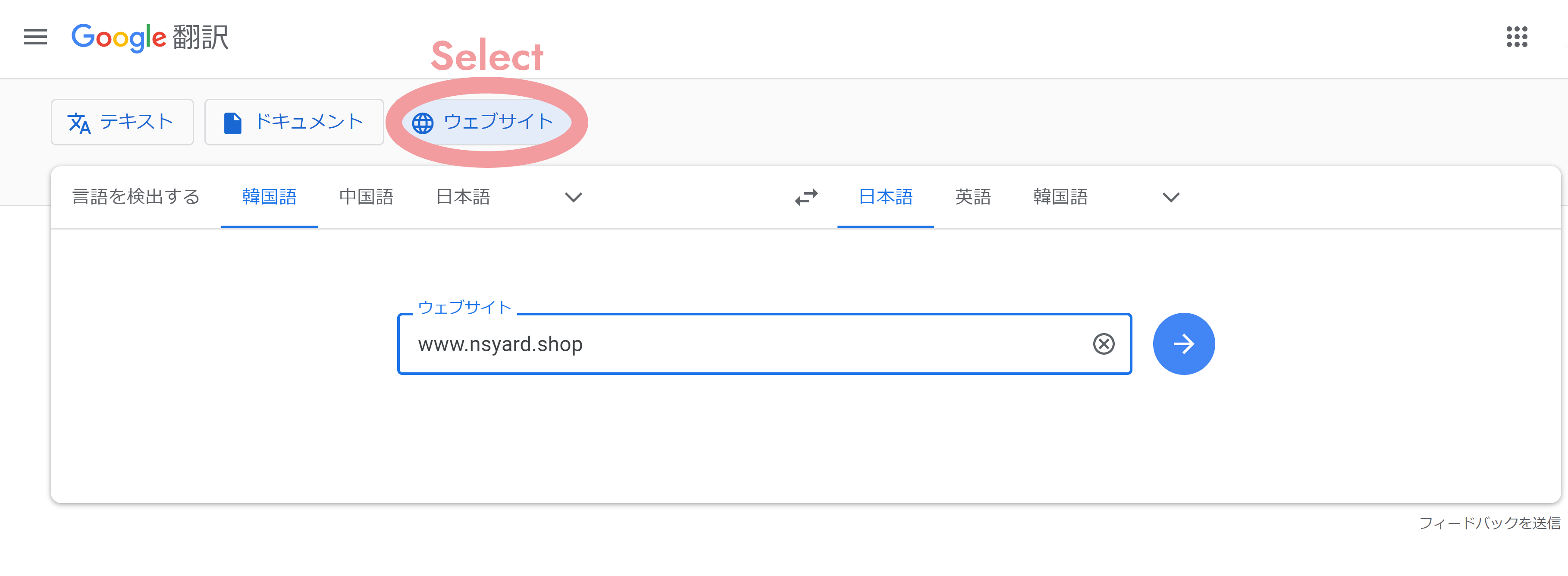
Information on how to translate in Google Chrome. You can shop on the site in your language.
1

install Google Chrome
2
Go to
https://translate.google.com/
3
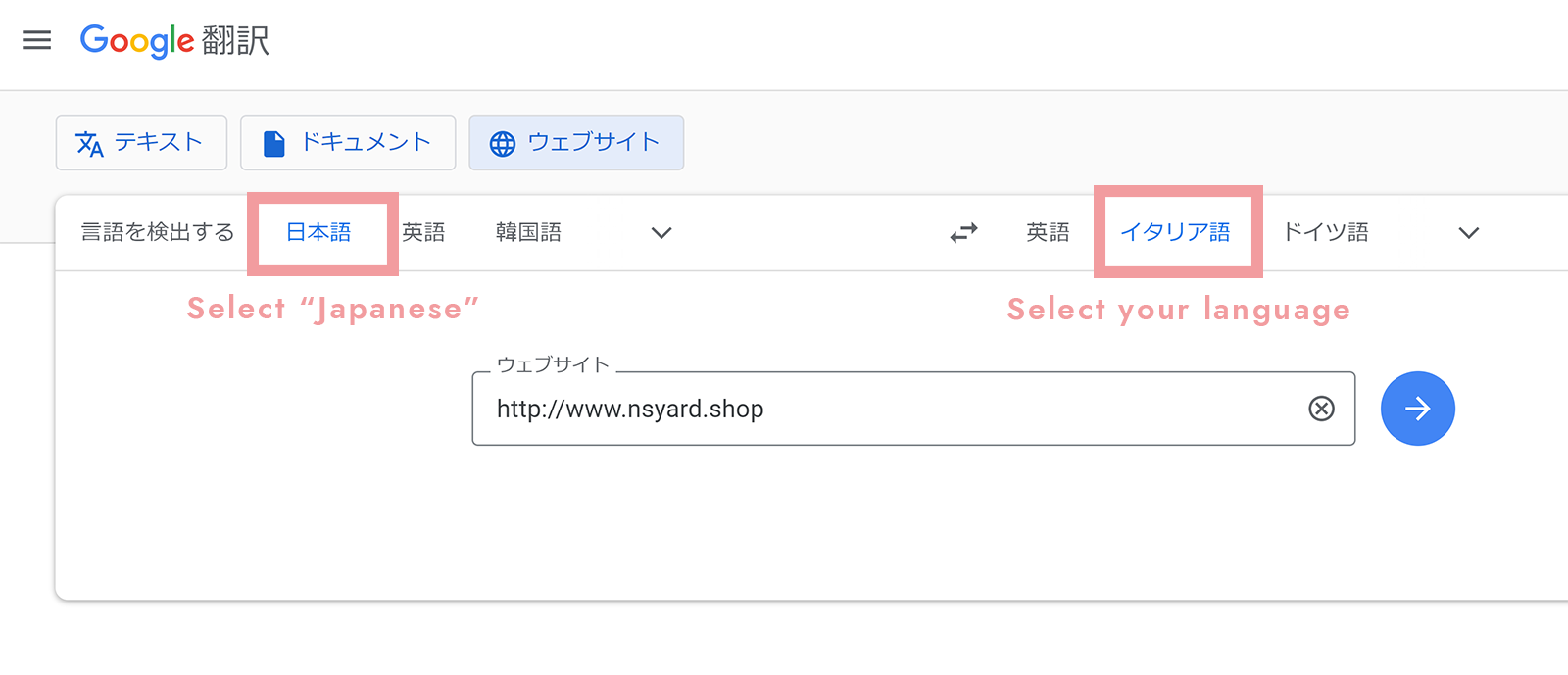

4
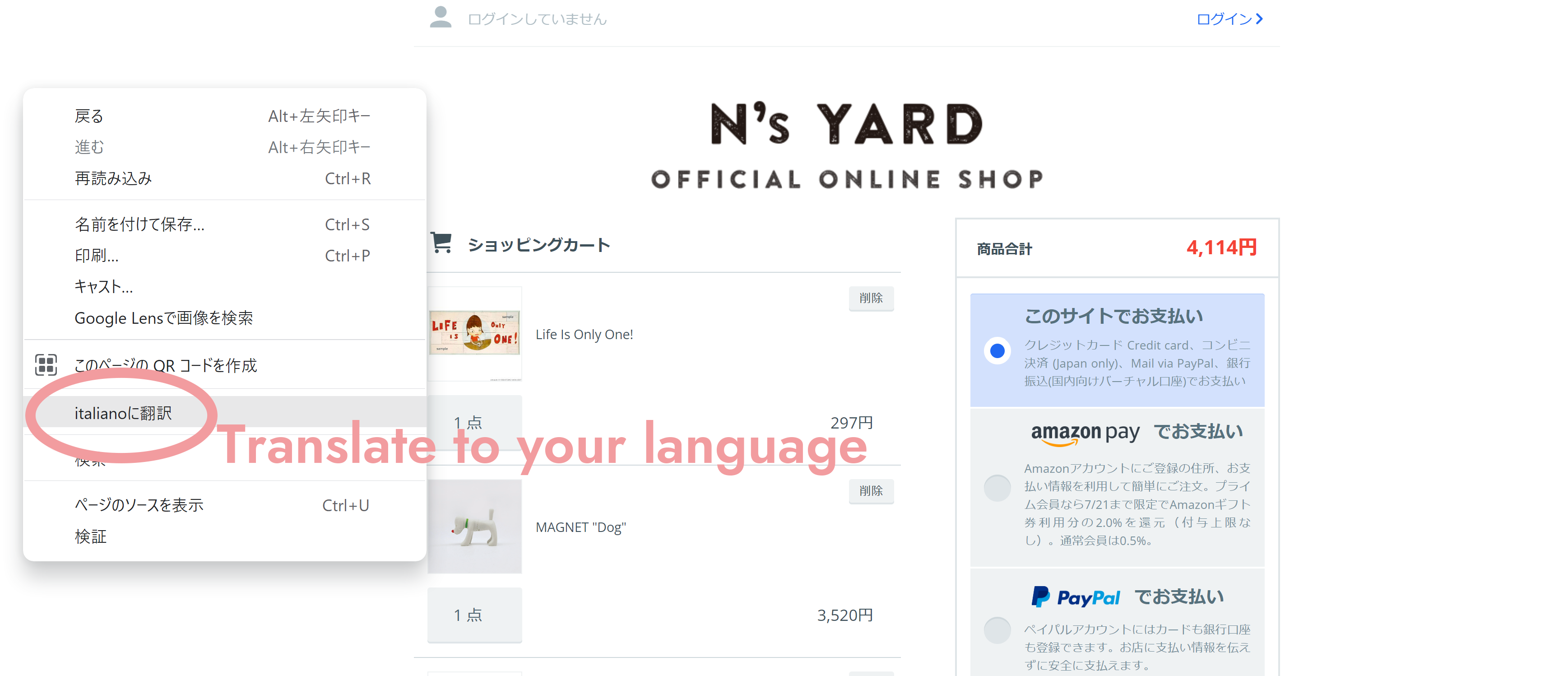
Since the cart page has strong security, the translation function will be canceled once. So right click and select Translate.
5
The language has changed.You can shop in your country's language.


S H I P P I N G
�� �� �� �� �� ��
FOR JAPAN

�����Ͼ��ʤη����Ƚ��̤ˤ�ä����ꤵ��Ƥ��ޤ��������ȤǷ�Ѥ���ݤ˼�ư��ɽ������ޤ������路���ϳ�������ˡ�Υ�����ǧ����������
| �ݥ�����ȡ�Ǽ������ʤ� | �ݥ����� 250�ߡ� |
| ���Ϥ�����������Ǽ������ʤ� | �����ء��� 550�ߡ� |
| �ݥ���������˹�������ʤ� | �ݥ������� 600�ߡ� |
| T����Ĥ��������ʤ� | T������� 0�� |
�����Ѥ�������������ˡ

 ����åԥ��ˤĤ��ơ�����
 ��Ǽ�ʽ��μ����ˤĤ���
FOR INTARNATIONAL

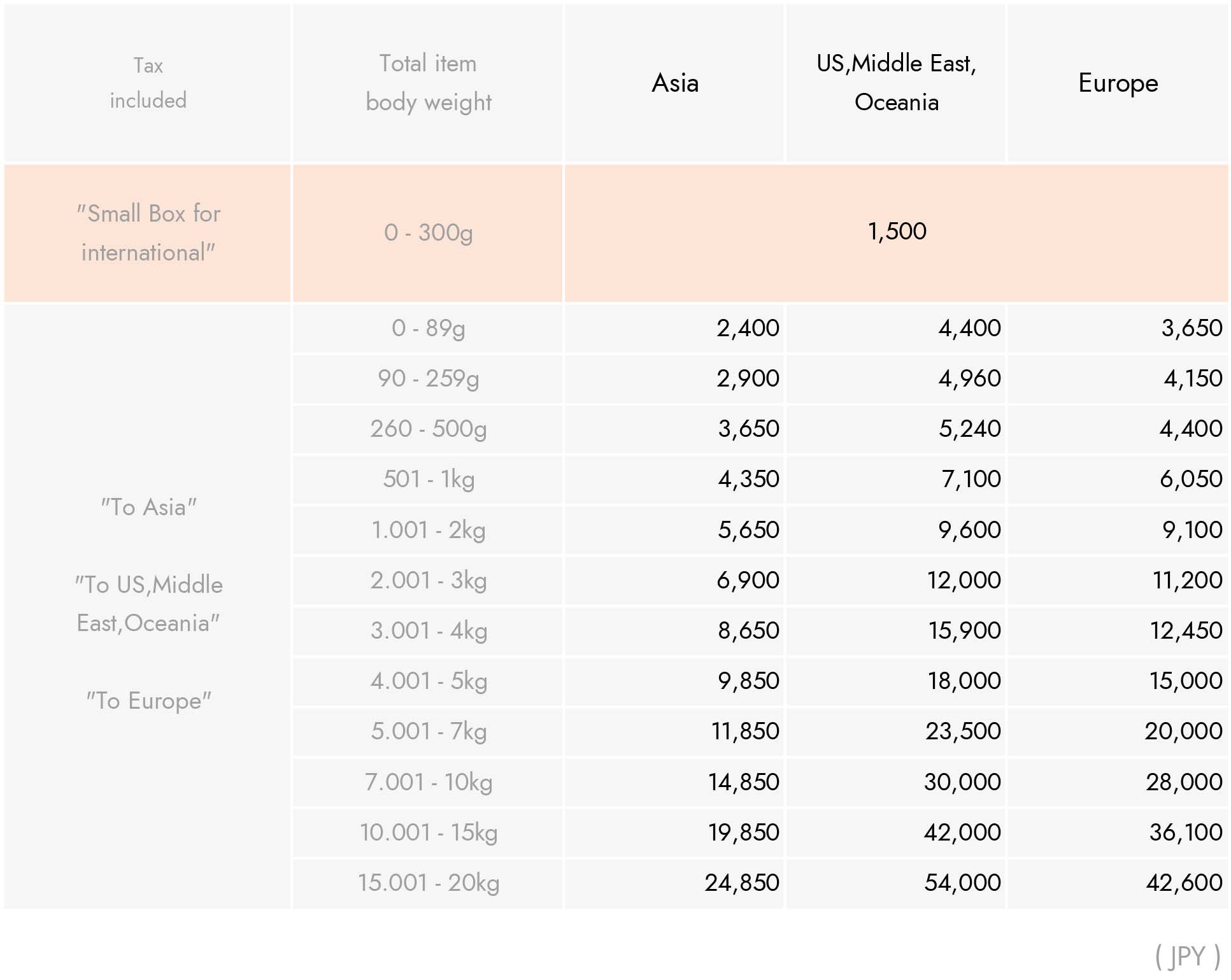
Shipping fee by weight.It will be displayed automatically when you make a payment in the cart. Details is here.

 ����Translate to your language
SHIPPING FEE LIST









 "Every Clown Lost in Every Town" deep green


 Rock'n Roll Forest


 Cry
Cry